Sunday, June 25, 2017

The hour of Code

Hello! We are Francesca and Martina, today we are doing a blog that is going to be a little different than the other ones.
Last two Informatic class we used a new method, in this a web page, to learn.It is called Khan Academy. Khan Academy is a educational website that contains free videos tutorials and interactive exercises.You can register as a student, a teacher or as a parent. This gives you different control over the things. For example: a teacher can create something that is called lesson, see the progress of the students and how much they spent  working in a certain period of time.You also earn points every time you finish a chapter from the lesson. In this post we want to show you my progress on the web site and give you a resumed information about the topics that our lesson contains.
You are going to learn how to use the language of JavaScript, doing drawings with different codes, and the library ProcessingJS.

 
(Khan Academy Logo taken from Wikipedia)

Our first challenge after the first tutorials was drawing a simple snowman:

(Martu’s work on “Challenge: Simple snowman”)
This one was our first challenge and as you can see they gave us a little help with the first codes and also corrections to make our work better.On the right corner
Our first challenge after the first tutorials was drawing a simple snowman, and these are our results!
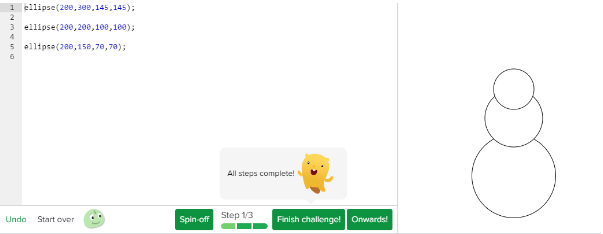
(Fran’s work on “Challenge:Simple snowman”)
But before starting with the project, we watched one of the tutorials, where we got explained how to do it. Without this explanation it would have been impossible for us to achieve the challenge on our own. This video was not only very informative, it was short and very easy to understand. We highly recommend you to watch the tutorials in the Khan Academy page and not for example in Youtube, because you don’t get points if you watch it in another platform.


And points are very important so that your teacher can know how much do you work ;)


As you can see in each lesson they tell you how many points you win!
Points are also very important for YOU to see your progress and how are you going with the lesson in general and they also motivate you to continue.

Tutorials
In reference to the videos that give you the information to complete the challenges, we think they are great.They explain you in a very short time basic concepts that you need to know in a very simple way.

You can always work on your projects any time you want and you can always achieve goals in your lessons.We had three very important projects, one we had to do a “Super Snowman”, the second one was doing a wild animal and last but not least doing a self portrait.

We both think the best project or challenge was the one with wild animals because we could put lots of details and also use the animal we liked the most!
These projects take a little bit more of time than the others but they are worth it because there are amazing results!
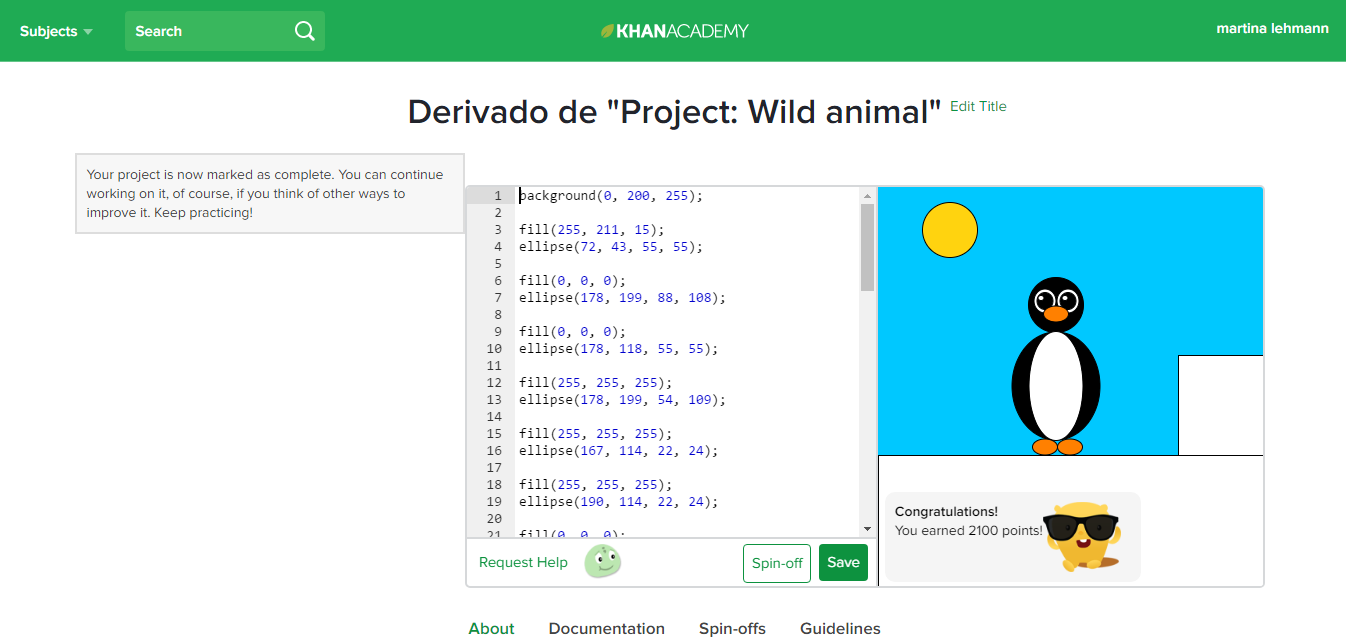
Project Wild animal Martu.PNG


(Martu’s “Wild animal” project)

A little bit about the Web Page:

In the next paragraphs we are going to tell you what means what on the start page and also for what can you actually use Khan Academy? For this last thing we are going to leave you a video from: Khan Academy!!
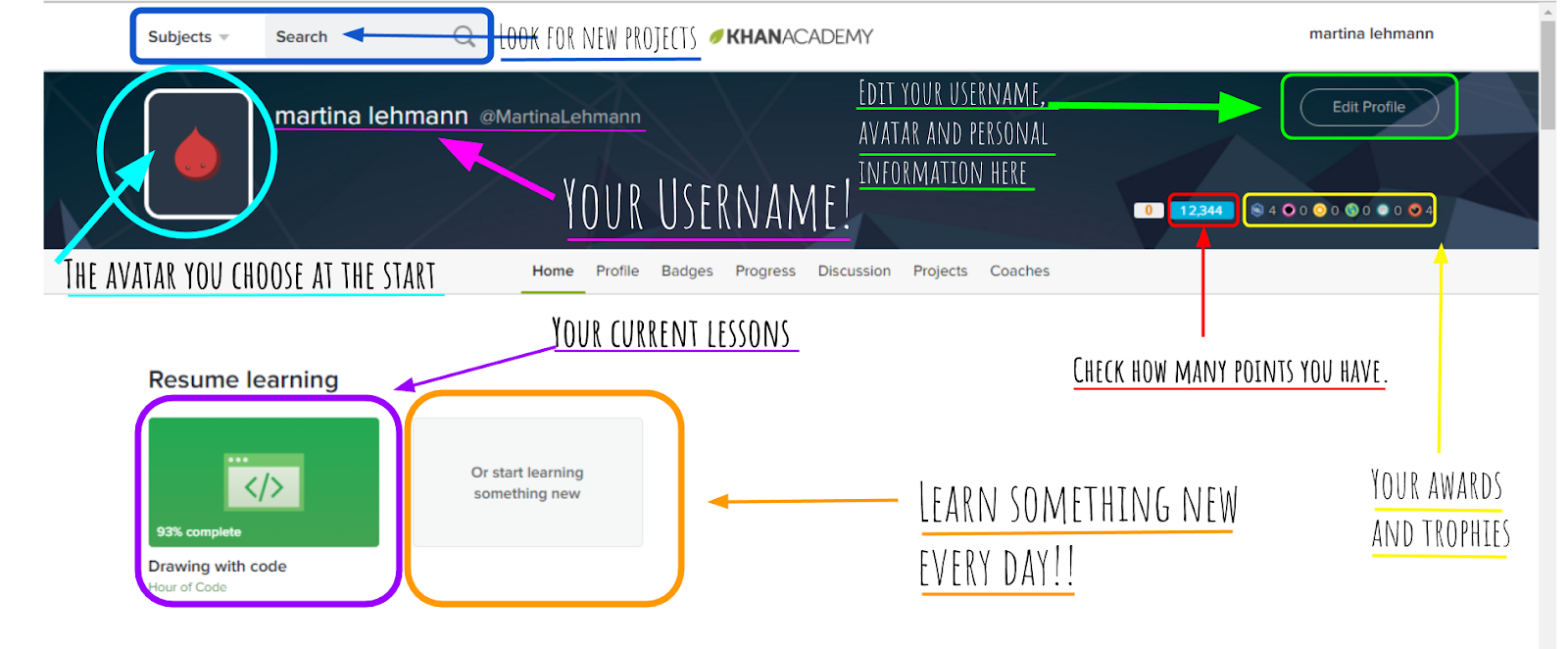
Home Page def..png


(Screenshot about: what do we see on the home page)


Here we leave you the the video from Khan Academy so that you can understand for what to use this useful and awesome website.
If you cant play the video please try with the following link:


So that is all we have for you guys today! We hope you liked it and helped you.Until next time!!
Fran and Martu

Thursday, June 22, 2017

The hour of code (Tobi Schweiger - Derek Von Keisenberg)

In the past week, we have been working in a website called Khan Academy. There, we worked in the so named ,,The hour of code". We learned how to code by doing projects like doing a snowman or an animal or we had to watch videos and read texts. . The whole class had a lot of fun and some, including me, also worked with it at home and kept progressing.
Every time you finish an excercise, you receive points and sometimes even medals. With these points, you can evolve your avatar or just compete with your mates. It is a really fun and entertaining way to learn more about coding. In tobi´s case, he gained 13.000 points because he completed the hour of code 100%. Tobi also got 8 medals altogether. 4 of them are "challenge medals" and the other four are " meteorite medals". Tobi also got the second evolution of the avatar, which you get once you have at least 10.000 points.
Derek instead has also 13 thousands points and the same evolution of avatar, but our projects are very different from each other.


At the end of the post we left a video, where "The hour of code" is explained and introduced and a tutorial explaining how to do circles with coding.


Altogether we did 3 projects. One of them was to do a self portrait using the coding, other was to create any animal we wanted to and then was the so called:  Project: Super snowman” and other called: "Wild animal". Under this paragraph we left two screenshots we took of the snowman and the penguin we created with coding. I chose this two projects, because we found them the most entertaining ones to do.
But some of the tasks were also either read helpful texts or watch videos that also helped with the coding. Altogether we completed 16 tasks. It took us around 1 hour, maybe a bit more. But the important thing is, that everyone can do it because it is not that difficult to do and understand. But it is important that if you decide to do the hour of code, you have to read the texts and watch the videos in order to understand better.


Tutorial to learn how to make circles with coding
.


Introduction video to the hour of code.

Khan Academy Hour of Code


Hy there, today I'm going to talk to you about something I did in an amazing website called Khan Academy. By the way, If you want to learn anything about practically any topic for free, you might want to check the website out. 
But well, what I really was going to talk about with you was about something we did for the informatic class called the Hour of Code. This is awesome if you are looking forward to start learning the basics of programming. 
Now I'm going to show you what's it all about.


What you see here is a coloring challenge that was part of the hour of code. As you can see, we have a drawing of a snowman, but at the begin of the challenge, this drawing had no color. Our task was to complete that part, and the way we did it was threw something called RGB (Red, Green, Blue), which is used to assign any color we want in code threw the mixture of Red, Green and blue. The code that I used to do this is the following:


As you can see, I used the background command to do the light blue sky, in other words, the background, and the fill command to fill with color any shape that is coded beneath it. It is important to note that any color command will apply to everything written under it, so remember to do and paint smaller shapes in front of bigger ones, so that they don't get covered by them. Here we can see a similarity to concept learnt in class about algorithms, since algorithms also follow a certain order, that in case of not being followed, may not work at all. 


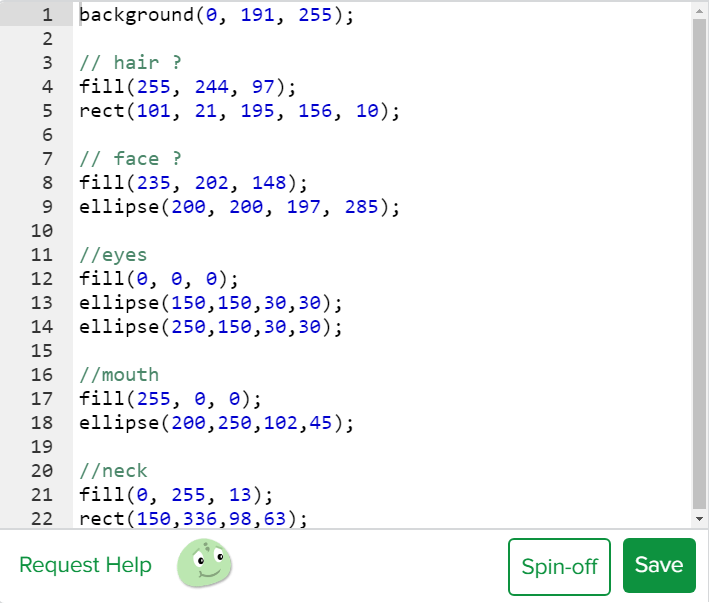
What you can see here is a portrait I did of myself during the hour of code. This work is the result of one of three projects that we were assigned to complete more or less to conclude the hour of code. Now, even if it's not the nicest thing or the best representation of myself, it serves nicely to the purpose of showing you just a little bit of what is possible with code. Other more professional coders can draw much better things, just like this:


Source: Khan Academy


Going back to my portrait, the whole idea of hour of code isn't to become an expert or so, but more like getting an idea of what is possible with JavaScript, the language used in this case. 
The following image shows what code I used to create my portrait:


If you remember the previous posts I wrote, you'll remember how I emphasized in the things we learned in class about Inputs and outputs. Well, this is the first time that we used the theory we had learned in previous classes and put it into practical use. 

The last concept we used that we had previosly learned in class, which has it's importance in informatics, is divergent thinking, wich can be defined as a method to generate creative ideas by thinking about many different possible solutions to open questions. In this case for example, it would be: How would you create a portrait of your one face?

To end this post I would like to share with you some of my earned badges, energy points and other things I acquired for my profile:


As you can see in the image, I've earned 3 challenge Patches and 4 Meteorite Badges. Here you can see what I did to earn them:

Challenge Patches:


Meteorite Badges:


Besides, thanks to my progress I unlocked the evolution of my profile avatar, or like I like to call it, monster, from this:


To this:


Now yes, I'm done for today, so see ya in the next one!

Sunday, May 21, 2017

Definition of the concept "Algorithm"


Hello everybody! For this project in informatics we decided to divide the class in four groups: A1, A2, B1 and B2. We are the group B2. Our task was to talk about the algorithms after we watched two videos explaining what they are. We will leave you the links below if you want to check them out. 
Algorithms are a process or set of rules to be followed in calculations or other problem-solving operations, especially by a computer, but in real life we use algorithms, for example the way we put our school materials in our backpacks: first folders, then pensil case, if there aren't folders, the pencil first and then close the backpack.
The turing machine uses an algorithm to organize the 0s and 1s and put them in the correct order that is given by the software
The code on the tape of the turing machine, which is made 1s and 0s, are instructions, and these instructions are the base of computation.
IMPORTANT:
Definition of algorithm:
In mathematics, logic, computer science and related disciplines, an algorithm is a prescribed set of well-defined, ordered, and finite rules or instructions that allows one to carry out an activity through successive steps that do not create doubts to whoever is to do such activity. Given an initial state and an input, following the successive steps, a final state is reached and a solution is obtained.
This mindmap could help you understanding the concept


Example of algorithm

Animated visualization of the quicksort algorithm. The horizontal lines are pivot values.
Quicksort (sometimes called partition-exchange sort) is an efficient classification algorithm, which serves as a systematic method for placing the elements of an array in order. Developed by Tony Hoare in 1959 and published in 1961, it is still an algorithm commonly used for classification. When implemented well, it can be around two or three times faster than its main competitors, merge sort and heapsort.


The steps are:

  1. Pick an element, called a pivot, from the array.
  2. Partitioning: reorder the array so that all elements with values less than the pivot come before the pivot, while all elements with values greater than the pivot come after it (equal values can go either way). After this partitioning, the pivot is in its final position. This is called the partition operation.
  3. Recursively apply the above steps to the sub-array of elements with smaller values and separately to the sub-array of elements with greater values.
Quicksort:
We hope you understod how algorithms work!
Till next time
Francesca, Giuliana, Alex and Migue

Wednesday, May 17, 2017

Convergent and Divergent thinking

Convergent and Divergent thinking

Convergent: Is the ability to give the "correct" answer to a question that doesn't require creativity to answer it. It decides what to do. 

Divergent: It is the opposite of ''convergent''. It is a method to generate creative ideas by thinking about other solutions. It explorespossibilities. 

 Resultado de imagen para convergent and divergent thinking

Mind Mapping

Mind Mapping it's a way of taking notes and learning, it is very simple, useful and you don't have to write full sentences or be precised, it is a free way of learning. You just have to be very passionate and creative!

Resultado de imagen para creativity brain

Here is an example that Caro and I created: