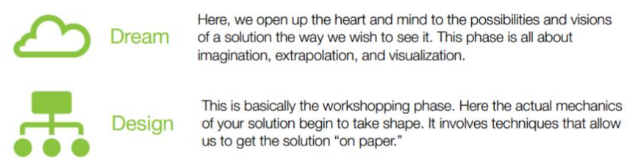
Hello there, today we are going to introduce our second report of the third term. You know if you read our last post that we were working on cryptography. Our team put emphasis on the different cipher methods including some which was´t in the Challenge 101 of Kahn academy. This platform helped us to understand better all thing related with cryptography. Our job was to dream and design a solution for our initial problem. We discovered a lot of useful tool to encrypt, desencrypt and also to crack some encryptions, however, we still have things to learn, because the world of cryptography is very complex. Now we are going to show you what we learned. We created a radio audition and simulated an interview, which is obviously about cryptography.
Now we will show you some thing which can be useful to understand it better:
These last weeks we were learning about cryptography. We worked with Kahn Academy discovering the the art of encryption and decryption. What types of ciphers did we learned? First of all, we learned about the Caesar Cipher, secondly the Polyalphabetic Cipher and the last one is Visual Telegraphs. These are only some of the different kinds of encryption. In this post we will define and discover the basics things of cryptography with the help of different skills. We were trying to solve the "Challenge 101" in Kahn Academy, we experimented using some software which was designed to crack the message using the brute-force attack method ("brute-force attack consists of an attacker trying many passwords or passphrases with the hope of eventually guessing correctly" wikipedia). Now we're going to explain what we learned in an easy way...
First of all you have to know exactly what is cryptography:
Now we are going to lern one of the basics of programming... We worked hard with Khan Academy and we learned a lot about HTML, CSS and Web pages. You probably don´t know anything about what I am talking about right now, but don´t be shy and join us in this short summery about "The hour of code" part 2.
We divided this summery in 6 informative banners:
Thanks for reading the post,
let a comment if you like it or if you have some tips. Post by Nacho and Alex.
In this last week we are learning to use codes using the "Khan Academy" platform. Khan Academy offers practice drills, tutorials and a personalized learning dashboard that allows students to learn at their own pace, both inside and outside the classroom.
In this post we will explain our work, show our projects and prove what we learnt. First of all we created a new account synchronizing the gmail account with this platform. Then we watch a video that told us how to create forms and paint throw codes. We think that this website, will teach us how to program in a good way,interactive and easy. However we will never become experts,because it is not so sophisticated, we will be close enough.
The Challenges:
Now we are going to talk about the challenges we have completed. Using the scrips, which we had learned with Khan Academy, we painted a snowman.
So was the process:
The Projects:
Although the Challenges was´t easy we were expected to make a bigger effort. He had to do our projects: We had to choose between painting a wild animal, a self portrait or a super snowman.
This is how our projects look like:
You can see the complete project including scripts here:
First of all I recommend watching these videos, to get introduced to the topic.
Some important concepts:
Background:
The background is used to to give a color to the project. To create the Background you need to write a specific code: background(r,g,b);. The r is the amount of red. The g is the amount of green and the b is the amount of blue.
Point:
The point is used for example to build an eye (the iris). the code of the point is: point(x, y);. The x is the x-coordinate of the point (it moves to the left or to the right).
Rectangle:
The rectangle is used for example to draw hair. To create a rect you need to write this code: rect(x, y, width, height, radius);. The x is the x-coordinate of the top left corner. The y is the y-coordinate of the top left corner. The width is the width of the rectangle. The height is the height of the rectangle and last but not least the radius is the radius of the corners, to round the rectangle (do not forget that the radius is optional).
Our Profiles:
Last but not least, we´ll share our profiles with you. We are not going to present ourselves, because we already did it in an older post, so we let you the link to that post.